
Are you wondering if you can add backend technology to your Webflow project? Maybe you love how easy Webflow makes designing your website, but you’re unsure if it can handle complex features like user logins, databases, or custom workflows.
You’re not alone. Many creators face this exact challenge when they want to take their site beyond just visuals. You’ll discover how to bridge the gap between Webflow’s front-end power and the backend tech you need. By the end, you’ll know exactly what’s possible and how to make your website truly dynamic.
Keep reading to unlock the full potential of your Webflow site.
Credit: webflow.com
Webflow And Backend Tech Basics
Understanding the basics of Webflow and backend technology is key to knowing how they work together. Webflow is a popular tool for building websites visually. It focuses mainly on the frontend, which means what users see and interact with. Backend technology powers the parts of a website users don’t see but are very important for functions like storing data and managing users.
This section explains how Webflow handles the frontend and what role backend technology plays in web development. Knowing this helps decide if and how backend features can be added to a Webflow project.
How Webflow Handles Frontend
Webflow is a visual builder that creates HTML, CSS, and JavaScript. These are the main languages for frontend development. It lets users design layouts, animations, and interactions without coding.
Webflow generates clean, responsive code that works on all devices. It manages the visual side, like fonts, colors, and buttons. The platform hosts the site and handles content through its CMS (Content Management System).
This focus on frontend means Webflow is great for design and user experience. But it does not include built-in backend programming like databases or server logic.
Role Of Backend In Web Development
The backend is the engine behind many website features. It handles data storage, user accounts, and server-side logic. This part runs on a server, away from the user’s screen.
- Stores and retrieves data in databases
- Processes user inputs securely
- Handles authentication and permissions
- Runs custom business logic
Backend code is usually written in languages like Python, Ruby, or Node.js. It connects with the frontend to deliver dynamic content and interactive features.
Without backend technology, websites are static. Adding backend tech allows websites to become interactive and personalized.

Credit: webflow.com
Options To Connect Backend With Webflow
Connecting backend technology with Webflow opens up a world of possibilities for your website. Whether you want dynamic content management, real-time data processing, or enhanced functionality, there are several practical ways to bring backend power to your Webflow project. Let’s look at some straightforward options that can help you extend Webflow’s capabilities effectively.
Using Webflow’s Cms And Api
Webflow’s built-in CMS is a great starting point for managing dynamic content without writing backend code. You can create collections for blogs, products, or user data, and design your site to display this content dynamically.
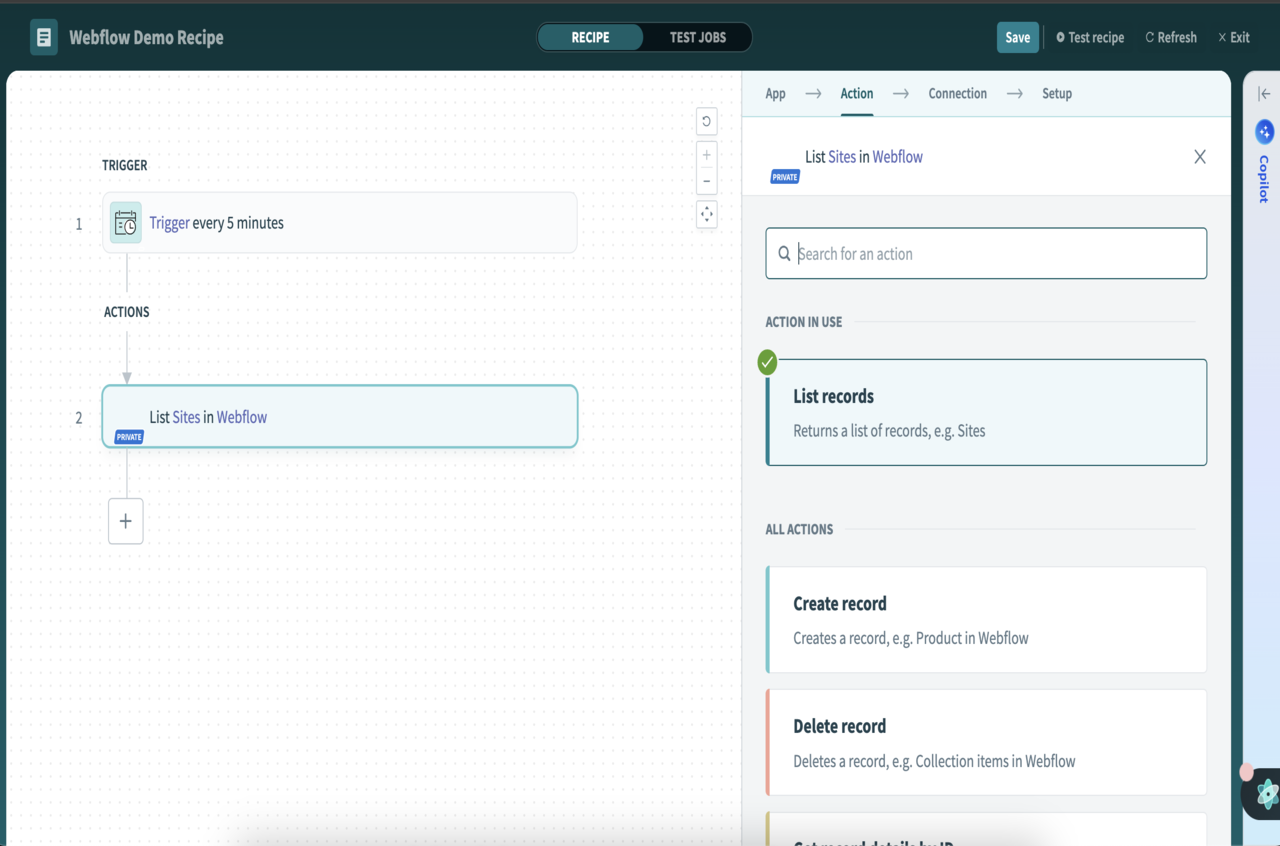
If you want more control, the Webflow API lets you interact programmatically with your CMS data. This means you can update content, trigger actions, or sync data from other sources automatically.
Imagine running a small online store where inventory updates happen through a simple script using the API, saving you hours of manual work. Have you thought about how automating content updates could free up your time?
Integrating External Apis
Adding backend functionality doesn’t always mean building it yourself. You can connect your Webflow site to external APIs to add features like payment processing, user authentication, or data fetching.
Services like Stripe for payments or Auth0 for user login can be integrated with a few lines of JavaScript embedded in Webflow’s custom code areas. This approach keeps your frontend clean while tapping into powerful backend services.
Think about what your site needs most—is it handling secure payments, delivering personalized content, or something else? External APIs can offer ready-made solutions that save development time and reduce complexity.
Leveraging Serverless Functions
Serverless functions let you run backend code without managing servers. You write small pieces of code that execute in response to events like form submissions or API requests.
Platforms like AWS Lambda, Vercel, or Netlify Functions can host these pieces, which you then call from your Webflow site using JavaScript. This setup is perfect for tasks such as sending emails, processing payments, or handling form data securely.
Have you considered how serverless functions could handle backend logic without the overhead of a full server? It’s a flexible way to add custom backend processes that scale with your needs.
Popular Backend Technologies To Pair With Webflow
Adding backend technology to your Webflow project can significantly boost its functionality. Choosing the right backend depends on your specific needs, like handling data, creating custom logic, or building APIs. Here are some popular backend technologies that pair well with Webflow to help you decide what fits your project best.
Node.js For Custom Logic
Node.js lets you run JavaScript on the server side, making it ideal for adding custom logic to your Webflow site. You can handle form submissions, automate workflows, or connect to other services easily.
I once used Node.js to create a booking system for a client’s Webflow site. It handled availability checks and notifications smoothly without slowing down the user experience. Can your project benefit from such seamless real-time processing?
Firebase For Real-time Data
Firebase offers a cloud-based backend with real-time database capabilities. It’s perfect if your Webflow site needs instant updates, like chat features or live dashboards.
The setup is straightforward, and Firebase handles hosting, authentication, and data syncing automatically. Imagine your users seeing updates the moment they happen—how would that change your site’s engagement?
Python And Flask For Apis
If you prefer Python, Flask is a lightweight framework for building APIs that connect your Webflow front end to a powerful backend. It’s great for custom data processing or integrating third-party services.
I built a Flask API to manage user profiles and preferences for a Webflow project, which gave full control over data security and flexibility. What kind of data-driven features could you create with a custom API?
Step-by-step Integration Tips
Integrating backend technology with Webflow can enhance your website’s functionality. It allows data processing, storage, and dynamic content delivery. Follow simple steps to connect your Webflow front end to backend services smoothly. This guide breaks down the process into easy tasks.
Setting Up Api Endpoints
API endpoints act as bridges between Webflow and your backend. Create endpoints on your server to handle requests from Webflow. Use RESTful principles to keep endpoints clear and organized.
- Define the data input and output clearly for each endpoint.
- Secure your endpoints using authentication tokens or keys.
- Test endpoints with tools like Postman before connecting to Webflow.
APIs provide the communication layer essential for backend integration.
Connecting Webflow Forms To Backend
Webflow forms collect user input. Connect these forms to your backend via APIs to store or process data. Use Webflow’s form action URL to point to your API endpoint.
- Set the form’s method to POST for sending data securely.
- Map form fields to backend data structure for smooth processing.
- Handle form submission responses to show success or error messages.
This setup lets your backend receive and manage user data efficiently.
Automating Workflows With Zapier
Zapier connects Webflow to many backend services without coding. Automate tasks like data syncing and notifications effortlessly.
- Create a Zap triggered by Webflow form submissions.
- Choose actions such as sending data to a database or email service.
- Test each Zap to ensure data flows correctly between Webflow and your backend.
Zapier simplifies backend automation and reduces manual work.
Security And Performance Best Practices
Adding backend technology to Webflow sites can improve functionality and user experience. Security and performance play key roles in maintaining trust and speed. Following best practices helps keep data safe and APIs fast.
Protecting Sensitive Data
Always encrypt sensitive data during transmission. Use HTTPS to protect user information from hackers. Store passwords securely with strong hashing algorithms. Limit access to backend data with strict permissions. Validate and sanitize all inputs to prevent attacks. Regularly update backend software to fix security flaws. Monitor logs to detect unusual activity early.
Optimizing Api Response Times
Keep API calls efficient to reduce delays. Use caching to serve repeated data faster. Compress responses to minimize data size. Avoid unnecessary database queries in backend logic. Use pagination for large data sets to improve speed. Monitor API performance with tools to find bottlenecks. Scale backend resources based on traffic demands.
Common Challenges And Solutions
Adding backend technology to Webflow opens exciting possibilities but brings certain challenges. Addressing these issues early can save you from headaches later. Understanding common problems like CORS and data syncing helps you build smoother, more reliable web applications.
Handling Cors Issues
Cross-Origin Resource Sharing (CORS) often blocks your backend from communicating with Webflow. Browsers restrict requests between different domains to protect users, but this can stop your API calls.
To fix this, you need to configure your backend server to allow requests from your Webflow domain. Adding specific headers like Access-Control-Allow-Originwith your Webflow URL can solve this problem.
Don’t forget to test with different browsers because CORS behavior can vary. Have you checked your server logs recently? They often reveal failed attempts due to missing CORS headers.
Managing Data Sync Conflicts
When your backend and Webflow both update data, conflicts may arise. This usually happens if changes happen simultaneously or if sync timing isn’t clear.
One practical approach is to implement version control or timestamps on your data entries. This way, you can detect which update is the latest and avoid overwriting newer information.
Consider using a queue system or webhook triggers to control when and how data flows between Webflow and your backend. Have you set up alerting for sync failures? Catching errors early helps maintain data accuracy.

Credit: www.b2bwebsites.au
Frequently Asked Questions
Can You Integrate Backend Tech With Webflow?
Yes, you can integrate backend technologies with Webflow. Use Webflow’s API or embed custom code to connect backend services. This allows dynamic data handling, user authentication, and complex functionalities beyond Webflow’s visual builder.
Does Webflow Support Server-side Programming?
Webflow does not support server-side programming directly. However, you can connect external backend services via APIs. This approach enables server-side logic while keeping Webflow as the front-end platform.
How To Add Databases To Webflow Projects?
Webflow doesn’t offer native database support. Use third-party tools like Firebase, Airtable, or custom APIs. These services store data and sync it with your Webflow site through API integrations.
Is Backend Integration Necessary For Webflow Websites?
Backend integration is optional for Webflow sites. It’s essential if you need dynamic content, user accounts, or data processing. Simple websites can run fully on Webflow without backend tech.
Conclusion
Exploring backend tech options in Webflow opens new possibilities. You can enhance functionality and create dynamic websites. Simple integrations make the process smooth. Easy for beginners. With basic coding skills, you can get started quickly. Experiment with different tools. Find what works best for your project.
Remember, each tool has unique features. Choose wisely to meet your needs. Webflow’s flexibility is a strong point. Keep learning and adapting. Your website can grow with you. Always keep user experience in mind. Happy building!