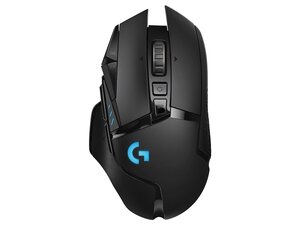
Is your mouse acting up right when you need it most? It’s frustrating when the cursor won’t move, clicks don’t register, or the scroll wheel stops working.
You might be wondering if a tech repair shop can fix your mouse or if you’ll need to buy a new one. The good news is, many common mouse problems have simple fixes that professionals can handle quickly. Keep reading to find out what issues can be repaired, when it’s worth fixing, and how to get your mouse working smoothly again.
Your productivity—and peace of mind—could be just one repair away.
Common Mouse Issues
When your mouse stops working properly, pinpointing the exact problem can be tricky. Mice can fail due to various reasons, often falling into hardware, software, or connectivity categories. Understanding these common issues helps you decide whether a tech repair shop can fix your mouse or if replacement is a better option.
Hardware Problems
Physical damage is a frequent culprit. Buttons may stop clicking, the scroll wheel might get stuck, or the sensor could fail to detect movement.
Sometimes, dirt and debris inside the mouse cause erratic behavior. A tech repair shop can clean or replace worn-out parts, but severe damage like broken circuit boards might mean you need a new mouse.
Software Glitches
Your mouse might be fine physically but still misbehave due to software issues. Driver conflicts or outdated software can cause lag, freezing, or unresponsiveness.
Have you ever noticed your mouse working perfectly after a system reboot? That’s often a sign of software-related glitches. Repair shops can update or reinstall drivers to fix these problems quickly.
Connectivity Errors
Wireless mice often face connectivity issues. Signal interference, low battery, or pairing problems can disrupt your mouse’s connection to your device.
Wired mice may have frayed cables or loose USB connectors causing intermittent disconnections. Repair shops can test and repair these connections or advise if replacement is necessary.

Credit: www.facebook.com
Diagnostic Process
The diagnostic process helps identify the exact problem with a faulty mouse. It involves careful checks to find hardware or software issues. Skilled technicians follow a clear path to ensure accurate diagnosis. This process saves time and avoids unnecessary repairs.
Initial Inspection
Technicians start by examining the mouse physically. They look for visible damage like cracks, broken buttons, or loose parts. They check the cable or wireless receiver for damage. Cleanliness is important; dust or dirt can block sensors. This quick inspection often reveals obvious problems.
Testing Hardware Components
The next step tests the mouse’s hardware parts. The sensor, buttons, and scroll wheel get thorough checks. They use special tools to measure sensor accuracy. Buttons are pressed repeatedly to test responsiveness. The cable or battery condition is also tested. This step helps find hardware faults clearly.
Software Troubleshooting
Technicians check the mouse settings and drivers on the computer. They update or reinstall drivers if needed. They test the mouse on different computers or USB ports. Software conflicts or outdated drivers can cause malfunctions. Troubleshooting software ensures the mouse communicates properly with the computer.
Repair Options
When your mouse stops working properly, a tech repair shop offers several repair options that can bring it back to life. These options range from simple fixes to more technical solutions, depending on the issue. Understanding these repair methods helps you decide whether fixing your mouse is worth it or if replacement is a better choice.
Replacing Parts
Sometimes, the issue lies in a specific component of your mouse, such as the scroll wheel, buttons, or sensor. Repair shops can replace these parts with new ones, restoring functionality without the need to buy a whole new device.
For example, if your mouse buttons double-click on their own, the technician might swap out the faulty microswitch inside. This targeted repair saves money and reduces electronic waste.
Cleaning And Maintenance
Many mouse problems come from dirt, dust, or debris blocking sensors or buttons. Tech experts use special tools to clean your mouse thoroughly, removing buildup that affects performance.
Have you ever noticed your cursor jumping or lagging? A deep cleaning can often fix this by clearing grime from the optical sensor or the scroll wheel mechanism. Regular maintenance can extend the life of your mouse significantly.
Firmware Updates
Some modern mice rely on firmware to control their functions. Tech repair shops can update this software to fix bugs or improve compatibility with your computer.
If your mouse suddenly stops responding correctly after a system update, a firmware refresh might solve the problem. This option keeps your device running smoothly without any hardware changes.
When To Replace A Mouse
Knowing when to replace your mouse can save time and money. Some issues are easy to fix, but others mean it’s time for a new device. Understanding the signs helps you decide.
Cost Vs Repair Benefits
Repairing a mouse can be cheap or costly. Small fixes like cleaning or replacing buttons are affordable. Complex problems, such as internal circuit damage, can be expensive.
Compare repair costs with the price of a new mouse. Sometimes, buying new is cheaper and more reliable. Consider how much you use your mouse daily. Frequent use justifies investing in a new, durable model.
Signs Of Irreparable Damage
Some damages cannot be fixed easily. Look for these signs:
- Mouse stops working completely and won’t connect
- Buttons or scroll wheel don’t respond at all
- Physical damage like broken parts or cracks
- Repeated issues after multiple repairs
These signs mean the mouse has reached the end of its life. Replacing it ensures smooth and trouble-free use.
Choosing A Tech Repair Shop
Choosing the right tech repair shop to fix your mouse can save you time, money, and frustration. Not every shop has the skills or resources needed for peripheral repairs, so it’s important to pick one that fits your needs. Think about what matters most to you: expertise, speed, or after-service support.
Experience With Peripherals
Make sure the shop has hands-on experience with computer peripherals like mice. Some shops focus mainly on laptops or smartphones and may not be familiar with the intricate parts of a mouse.
Ask if they have repaired similar brands or models before. A shop that knows how to handle different mouse types—wired, wireless, gaming, or ergonomic—will likely do a better job.
Turnaround Time
Your time is valuable, so consider how quickly the shop can complete the repair. A fast turnaround means you get your mouse back sooner and can get back to work or gaming without much downtime.
Check if they offer same-day or next-day service. Sometimes waiting a week for a simple fix isn’t worth it, especially if you rely on your mouse daily.
Warranty And Support
Does the shop provide a warranty on their repair work? A good repair shop stands behind its service and offers a guarantee for a certain period.
Also, see if they provide ongoing support in case the issue returns. Knowing you can return without extra cost gives peace of mind and shows confidence in their work.

Credit: www.youtube.com
Diy Fixes Before Repair
Before rushing to a tech repair shop, there are simple checks you can do yourself to fix a mouse. These quick actions often resolve common issues and save you time and money. Have you ever thought that a minor tweak could bring your mouse back to life?
Basic Cleaning Tips
Dirt and dust can block the sensor or jam the mouse buttons. Use a soft cloth slightly dampened with water or rubbing alcohol to wipe the surface and the bottom.
Remove any debris from the scroll wheel and crevices with a toothpick or compressed air. This simple cleaning can improve responsiveness and smooth movement instantly.
Driver Updates
Outdated or corrupted drivers often cause your mouse to stop working properly. Check your computer’s device manager or the manufacturer’s website for the latest driver updates.
Installing the correct driver can restore full functionality. Have you updated your mouse driver recently?
Checking Connections
Loose or faulty connections are a common reason for mouse issues. For wired mice, unplug and re-plug the USB or PS/2 connector firmly into the port.
If you use a wireless mouse, ensure the batteries have enough charge and the receiver is plugged in properly. Trying a different port can also help rule out connection problems.
Credit: www.tiktok.com
Frequently Asked Questions
Can A Tech Repair Shop Fix All Types Of Mice?
Yes, most tech repair shops can fix wired, wireless, and Bluetooth mice. They diagnose hardware or software issues effectively.
How Long Does Mouse Repair Usually Take?
Mouse repair typically takes a few hours to one business day, depending on the issue and parts availability.
Are Mouse Repairs Cost-effective Compared To Buying New?
Repairing a mouse is usually cheaper than buying a new one, especially for high-quality or specialized models.
What Common Mouse Problems Can Tech Shops Fix?
Tech shops commonly fix unresponsive clicks, sensor issues, connectivity problems, and physical damage like broken buttons or scroll wheels.
Conclusion
Repair shops can often fix a broken mouse. It depends on the issue. Some problems are simple to fix. Others might need a replacement. Always check warranty before seeking repair. A professional can diagnose and repair efficiently. It saves time and effort.
Consider cost of repair vs. Buying new. Sometimes new mice are affordable. Choose what works best for your needs. Repairing is often eco-friendly. Less waste means a better planet. Visit a tech shop for advice. They help with tech questions.
Stay informed and keep your devices working.