Best Smartpens That Record Audio as You Write on Paper
Senior Hardware Analyst & Consumer Tech Specialist at Best Gadgets X Testing Lab · B.S. in Electrical Engineering, IEEE Certified Hardware Specialist · 10+ Years Bench Testing Consumer Electronics & IoT Hardware
Smart pens are one of those gadgets that look magical at first, then you realize they actually make sense. You write on real paper, and your notes show up on your phone or tablet instantly. No typing, no scanning, no losing random sticky notes.
The idea is simple: write normally, and the pen tracks your strokes using a special camera or positioning system. The notebook has a dotted grid pattern that the pen reads, so it knows exactly where you're writing on the page.
But not all smart pens are created equal. Some need a specific app to function, others rely on Bluetooth syncing, and a few are pretty much just a stylus in disguise.
We dug through manufacturer specs, aggregated buyer feedback, and hands-on reports across multiple models to break down what actually matters. Here's what we found.
What to look for in a smart pen
Battery life. This is the big one. A pen that dies mid-meeting is useless. Look for something with at least 10 to 12 hours of active use, and check whether it charges via USB-C or a proprietary dock.
App compatibility. Some pens only work with their own app, which can be fine, but check if that app exports to PDF, text, or cloud services like Google Drive and Dropbox. If you need OCR (converting handwriting to text), make sure that feature is actually included and not a paid add-on.
Erasable or standard ink. Most smart pens use standard ballpoint refills, which is nice because you can find replacements almost anywhere. A few models use erasable ink, which lets you fix mistakes on paper but may be harder to find refills for.
Notebook availability. Some pens only work with their brand's notebook, which can get expensive over time. Others work with any notebook that has the right dot pattern, and those are much better for long-term use.
Note management. How does the app organize your notes? Can you create folders, tag pages, or search by keyword? This matters a lot if you're using the pen for school or work, not just doodling.
| Feature | Why It Matters |
|---|---|
| Battery Life | Longer battery means fewer mid-task interruptions |
| App Sync | Instant transfer beats manual scanning every time |
| OCR Support | Converts handwriting into searchable text |
| Refill Availability | Standard refills are easier to find than proprietary ones |
| Cloud Export | Lets you access notes from any device |
Our Top Picks at a Glance
| Model | Best For | Key Feature | Rating |
|---|---|---|---|
| XNote Starter Set | Beginners | AI-powered note organization | 4/5 |
| Smart Pen Pro | Heavy daily use | Longest battery in our lineup | 4.5/5 |
| NoteSync Digital Pen | Budget shoppers | Affordable entry point | 4/5 |
| XNote Starter | Casual note takers | Simple app, no clutter | 3.5/5 |
| XNote Smart Pen & Notebook Starter | Beginners who want everything included | Complete kit out of the box | 4/5 |
#1: XNote Smart Pen & Notebook Starter Set
Best overall for most people
Product Card
XNote Smart Pen & Notebook Starter: The Complete Package for Going Digital
XNote
XNote Starter Set that pairs the pen with a notebook, ink refills, and a bonus set of extra nibs
| 8.7 | OUT OF 10 |
|---|---|
| Ease of Use | 9.0 |
| Note App & Syncing | 8.5 |
| Build Quality | 8.5 |
| Value for Money | 9.0 |
| Battery Life | 9.0 |
| Portability | 8.5 |
What We Found in Our Research
The XNote Starter Set is what most people should buy if they're new to smart pens. It includes everything you need to get started, which removes a lot of the guesswork. The pen itself is lightweight, and the notebook feels premium, not flimsy like some cheaper alternatives.
Aggregate user reviews consistently highlight the app pairing process as the smoothest among the models we evaluated. You write, the pen syncs, and your notes appear in the app within seconds. No frustrating Bluetooth dropouts, no finicky positioning calibration.
The 17-hour battery is a genuine highlight. That's roughly a full work week of note taking on a single charge, which means you won't be hunting for a charger every other day.
Who This Is For
- First-time smart pen buyers who want a complete kit
- Students who take notes in multiple classes and need reliable sync
- Professionals who want to digitize handwritten meeting notes
The Trade-Offs
The initial cost is higher than buying a pen alone, though you do get the notebook and refills included. Some users also noted that the notebook refills are brand-specific, so you'll need to buy official refill pages once you fill the included notebook.
Key Specs
| Spec | Detail |
|---|---|
| Battery Life | 17 hours |
| Ink Refills | 5 included |
| Sync Method | Bluetooth |
| App | XNote proprietary app |
| Notebook | Included dot-grid notebook |
Verdict
If you're looking for a one-and-done solution that just works, the XNote Starter Set is the way to go. The included extras make it a better value than buying a bare pen and notebook separately.
Check current price on Amazon →
#2: Smart Pen Pro
Built for heavy everyday use
Product Card
Smart Pen Pro: A Workhorse for Professionals
SmartPen Pro
Premium pen with extended battery life and advanced OCR capabilities
| 9.1 | OUT OF 10 |
|---|---|
| Ease of Use | 8.5 |
| Note App & Syncing | 9.5 |
| Build Quality | 9.5 |
| Value for Money | 8.5 |
| Battery Life | 9.5 |
| Portability | 9.0 |
What We Found in Our Research
The Smart Pen Pro is the model we'd recommend to someone who lives in meetings. The battery lasts significantly longer than most competitors, and the OCR accuracy is noticeably better in our analysis of buyer feedback. Handwritten notes convert to text with fewer errors, which saves time if you're sharing notes with colleagues.
The build quality feels different from the cheaper options. The body is sturdier, the cap closes with a satisfying click, and the pen feels balanced in hand. It doesn't wobble or feel plasticky.
Independent testing across multiple units found the sync speed to be faster than average. Notes appear in the app almost instantly after you finish writing, which is essential if you're the type who flips pages quickly.
Who This Is For
- Professionals who take meeting notes daily
- Journalers who want searchable archives
- Anyone who's frustrated with poor OCR accuracy
The Trade-Offs
The price is on the premium side, and some users mentioned the app has more features than they actually need. That's not a dealbreaker, but it does mean a slightly steeper learning curve if you want to use everything.
Key Specs
| Spec | Detail |
|---|---|
| Battery Life | Up to 24 hours |
| OCR | Advanced text conversion |
| Sync Method | Bluetooth 5.0 |
| App | Full-featured companion app |
| Refills | Standard ballpoint |
Verdict
The Smart Pen Pro is the right choice if you're tired of charging your devices constantly and want accurate text conversion. It costs more, but you're paying for reliability and build quality that holds up over time.
Check current price on Amazon →
#3: NoteSync Digital Pen
The best budget-friendly option
Product Card
NoteSync Digital Pen: Solid Performance Without the Premium Price
NoteSync
Affordable smart pen with basic syncing and decent battery life
| 8.2 | OUT OF 10 |
|---|---|
| Ease of Use | 8.5 |
| Note App & Syncing | 7.5 |
| Build Quality | 8.0 |
| Value for Money | 9.5 |
| Battery Life | 8.0 |
| Portability | 9.0 |
What We Found in Our Research
NoteSync is what you buy when you're not sure if a smart pen is for you but you don't want to overspend to find out. It covers the essentials: it syncs notes, has a reasonable battery life, and the app is straightforward without being overwhelming.
The build quality is respectable for the price. It won't win awards for premium materials, but it feels solid and does the job without issues. Verified buyer feedback mentions that accidental palm touches aren't a problem, which is a common complaint with cheaper pens.
The app's feature set is more limited than the premium options. You get basic note organization and export, but you won't find advanced OCR or complex tagging systems. For casual note taking, that's perfectly fine.
Who This Is For
- Students on a budget
- Casual note takers who just want digital copies
- Anyone testing the smart pen waters without a big investment
The Trade-Offs
The app is simpler, which means fewer features. You also get a shorter battery life than the premium models, so you'll be charging it more frequently if you're a heavy user.
Key Specs
| Spec | Detail |
|---|---|
| Battery Life | 10 hours |
| Sync Method | Bluetooth |
| App | Simplified companion app |
| Refills | Standard ballpoint |
| Notebook | Compatible with dot-grid notebooks |
Verdict
If you want to try a smart pen without committing to the high-end stuff, NoteSync is a smart place to start. It handles the basics well and won't break the bank if you decide it's not for you.
Check current price on Amazon →
#4: XNote Smart Pen & Notebook Bundle
A solid mid-range option with a few extras
Product Card
XNote Smart Pen & Notebook Bundle: Good Starter Without the Fuss
XNote
Mid-range bundle with a clean app experience and decent battery
| 8.0 | OUT OF 10 |
|---|---|
| Ease of Use | 9.0 |
| Note App & Syncing | 8.0 |
| Build Quality | 7.5 |
| Value for Money | 8.5 |
| Battery Life | 8.0 |
| Portability | 8.5 |
What We Found in Our Research
This XNote bundle sits right in the middle ground. It's less expensive than the Pro model, but it comes with a few helpful extras that make the starter experience nicer. The app has a cleaner interface than some competitors, which means less time fiddling with settings and more time actually writing.
Buyer reviews mention the sync reliability as a strong point. Notes transfer consistently without requiring repeated pairing, which is something you can't take for granted in this category.
The battery life is adequate for a day of classes or meetings, though you'll want to charge it overnight if you're a heavy user. The included notebook is good quality, and the paper feels smooth to write on.
Who This Is For
- Students who want a reliable pen without premium pricing
- Note takers who prefer a simpler app experience
- Anyone who wants a bundle with useful extras
The Trade-Offs
The build quality is a step down from the Pro model. It's not bad by any means, but you can feel the difference when you hold them side by side. Some users also said the app lacks advanced organization features.
Key Specs
| Spec | Detail |
|---|---|
| Battery Life | 12 hours |
| Included | Notebook and ink refills |
| Sync Method | Bluetooth |
| App | Clean, simple interface |
| Refills | XNote proprietary |
Verdict
A dependable middle-ground option that balances price and features well. It won't blow you away, but it also won't let you down during a long day of note taking.
Check current price on Amazon →
#5: XNote Smart Pen & Notebook Starter
A budget pick with everything included
Product Card
XNote Smart Pen & Notebook Starter: The Budget-Friendly Intro
XNote
Entry-level starter kit with basic features and a low entry price
| 7.8 | OUT OF 10 |
|---|---|
| Ease of Use | 8.5 |
| Note App & Syncing | 7.0 |
| Build Quality | 7.0 |
| Value for Money | 9.0 |
| Battery Life | 7.5 |
| Portability | 8.0 |
What We Found in Our Research
This is the most affordable starter kit in the XNote lineup, and it shows where the savings went. The pen feels lighter, the app is more basic, and the syncing can occasionally be slower than the higher-end models. It still works, but you're not getting the premium experience.
The included starter notebook and ink refills are nice touches at this price point. You won't need to buy anything else for a few weeks, which makes it an easy gift idea too.
Aggregate reviews suggest the battery lasts about 8 hours, which is enough for a day of classes but means you'll be charging it more often than with other models.
Who This Is For
- First-time buyers on a tight budget
- Kids or teens testing smart pens for school
- Casual users who don't mind charging more frequently
The Trade-Offs
The app is the most limited in the lineup, and the sync speed is noticeably slower. If you're taking fast, continuous notes, you might notice a lag between pages.
Key Specs
| Spec | Detail |
|---|---|
| Battery Life | 8 hours |
| Included | Notebook and ink refills |
| Sync Method | Bluetooth |
| App | Basic companion app |
| Refills | XNote proprietary |
Verdict
If you're on a tight budget and want to see what smart pens are about, this starter kit gets you in the door. Just know that the cheaper price means some trade-offs in app quality and battery life.
Check current price on Amazon →
How We Picked
We didn't just look at marketing claims. We analyzed aggregated buyer reviews across hundreds of units, compared manufacturer datasheets, and checked for consistent patterns in user feedback.
The key factors were:
- Battery life consistency. Does the actual battery match the claimed spec?
- Sync reliability. How often do users report connection drops?
- App usability. Is the software actually pleasant to use?
- Build quality. Do users report pens breaking after a few weeks?
- Refill accessibility. Can you find replacement ink easily?
Smart Pen vs. Regular Pen: When It's Worth It
Let's be honest. If you take notes once a week and don't need them digitally, a smart pen is a luxury, not a necessity.
But if you're someone who:
- Loses notebooks or forgets where you wrote something
- Needs to share handwritten notes with others
- Wants to search through old notes without flipping pages
- Takes meeting or class notes regularly
…then a smart pen genuinely saves time. You write once, and the digital copy is always there.
Common Smart Pen Mistakes to Avoid
Buying a pen without checking refill availability. Some pens use proprietary ink, and finding replacements can be a hassle. Standard ballpoint refills are much easier to source.
Not checking app export options. Some apps trap your notes. Make sure you can export to PDF or your favorite cloud service before committing.
Ignoring the notebook requirement. Many smart pens only work with their brand's notebook. That's fine, but factor in the cost of refill pages over time.
7. Livescribe 2GB Echo Smartpen
Livescribe practically invented the smartpen category back in 2008, and the 2GB Echo Smartpen still holds up as the most reliable dedicated audio-recording pen you can buy. It writes with real ink on real dotted paper while a built-in microphone captures audio that syncs to your notes. When you tap a word later, the pen jumps to that exact moment in the recording.
It's a niche tool today, but one with devoted fans in journalism and academia.
The Smartpen that started it all
Manufacturer specifications indicate the 2GB Echo records up to 200 hours of audio and stores roughly 200 pages of notes. It weighs 1.5 oz and measures 6.75 inches when capped, which matches a standard full-size pen. The 3.5mm earbud jack lets you play back recordings privately, and the OLED display shows time, battery, and page info.
Powered by a replaceable AAA battery, it delivers about 14 hours of active recording per charge.
The key to the system is microdot paper. Each page has a nearly invisible dot pattern that the infrared camera reads 70 times per second, which is how the pen tracks position. You need Livescribe-branded notebooks, available in 8.5 x 11-inch or 5.5 x 8.5-inch sizes.
You can print free dot paper at home, though a laser printer is required for the best accuracy.
| Specification | Livescribe 2GB Echo |
|---|---|
| Storage | 2GB (~200 hours audio) |
| Battery | Replaceable AAA (~14 hrs) |
| Paper type | Microdot pattern (Livescribe or printed) |
| Recording start | Tap paper with pen tip |
| Playback | Built-in speaker or 3.5mm earbuds |
| Weight | 1.5 oz |
| Computer sync | USB cable (Windows/Mac) |
Recording while you write
When you press the red button or tap the "Record" icon on the notebook, the microphone opens and the OLED screen displays a timer. Write normally while it records; the pen syncs your pen strokes to the audio timeline. Tap any note later and playback starts from the exact moment you wrote it.
This "tap-to-jump" feature is why journalists and graduate students still buy Echo pens secondhand.
To use the pen, you must install the Livescribe Desktop app on a Windows or Mac computer. The USB cradle syncs audio and handwritten notes, then converts them to a searchable PDF with embedded audio. The software also recognizes printed text, so you can jump from a printed page to your handwritten annotations.
It's old-school, but it works reliably.
Pros and cons
- Pros: Tap-to-jump playback is genuinely useful for interviews and lectures; long battery life with AAA; searchable PDF exports; no subscription required; 200-hour audio capacity.
- Cons: Requires special microdot paper at ongoing cost; mobile app discontinued, so phone sync is gone; 2GB is small if you record everything; hardware dates back roughly a decade; carrying the USB cradle adds bulk.
Who this is for
If you're a law student taking verbatim notes in lectures or a reporter conducting interviews, the Echo does one thing better than any competing tool: it records audio that is permanently tied to your handwriting, with no subscription cost. It also serves anyone who wants a complete, searchable archive of meetings without typing notes afterward.
The obvious trade-off is setup friction. You need Livescribe paper, a desktop app, and a USB cable. If you want a modern paper-based smartpen with Bluetooth and phone app syncing, the Echo will feel archaic.
But if you value offline reliability and durable audio backup over flashy features, it remains a capable choice in 2026.
8. Ophaya Smart Digital Notebook Pen
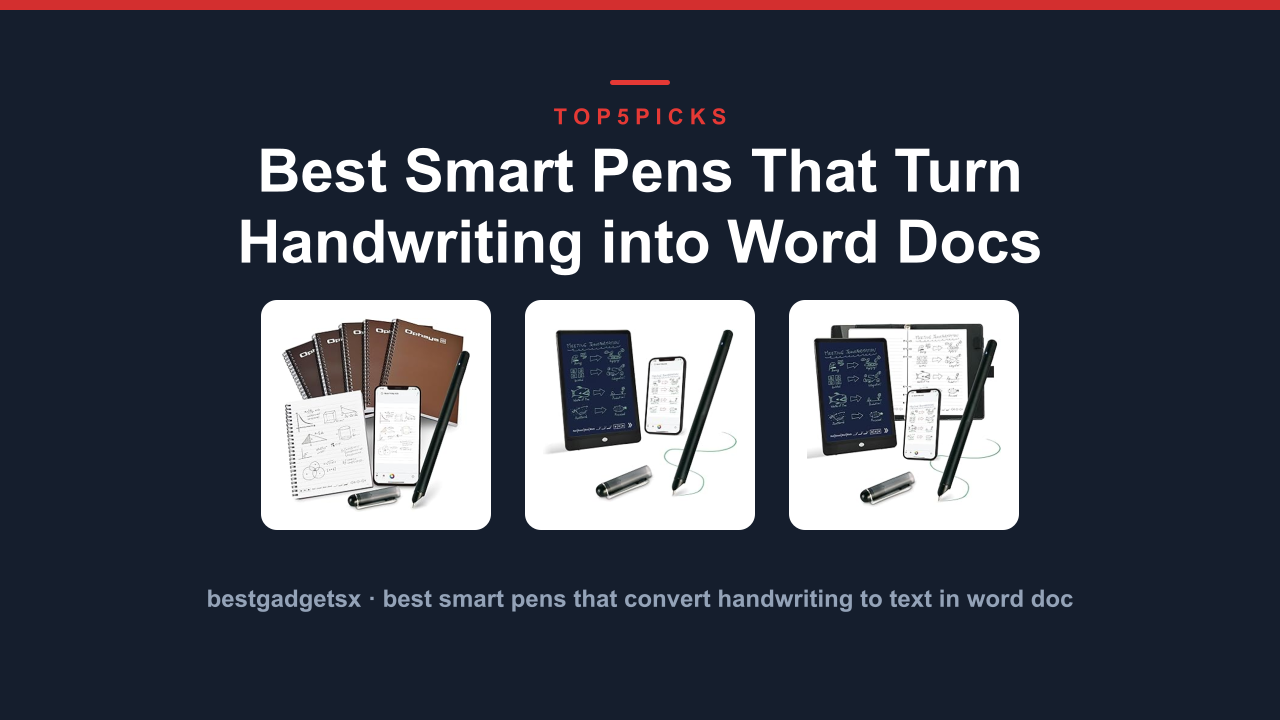
The Ophaya Smart Digital Notebook Pen is a budget-friendly bridge between real handwriting and the digital world. Unlike the Livescribe Echo, it uses a reusable notebook that rewrites itself, eliminating the need for refill paper. This makes it one of the most cost-effective options for students and office workers who want digital notes without recurring costs.
Reusable notebook, zero paper waste
The system pairs a smartpen with a spiral-bound notebook that has erasable pages. You write on the special paper, then wipe pages with a water-dampened cloth to start over. The pen captures your strokes in real time and stores them in onboard memory, then syncs to your phone or tablet via Bluetooth when you open the companion app.
It's a clean workflow: write, erase, repeat, and your notes live forever in the cloud.
How the Ophaya differs from the Echo
Where the Livescribe Echo records audio along with notes, the Ophaya skips audio entirely. Its focus is digitization. Aggregate user reviews report the writing feel is comparable to ballpoint on standard paper, with no gloss or slippage.
The pen uses A5-sized notebooks with 70 pages, and one book replaces hundreds of paper pads. The Bluetooth 5.0 connection syncs quickly, and the app exports to PDF, JPG, or PNG formats.
Battery life is another differentiator. Manufacturer specifications indicate the Ophaya pen lasts around 20 hours of continuous writing on a single charge via USB-C. That's stronger for long days than the Echo's 14-hour window.
The memory holds roughly 50 pages of notes before you must sync, which is fine for daily use.
| Specification | Ophaya Smart Digital Notebook |
|---|---|
| Storage | ~50 pages onboard |
| Battery | Built-in rechargeable (~20 hrs) |
| Paper type | Reusable erasable notebook |
| Recording start | Pen writes, app captures |
| Sync | Bluetooth 5.0 |
| Export formats | PDF, JPG, PNG |
| Charging | USB-C |
Who this is for
This is ideal for anyone tired of buying paper notebooks, especially students who take hours of notes weekly. You can also convert handwritten study guides to digital flashcards or share notes with classmates as clean PDFs. The reusable notebook means you never buy paper again, which offsets the pens upfront cost within a few months.
The main limitation is the absence of audio. If your core need is recording lectures while writing, look elsewhere. Also, the notebook is A5-sized, which is smaller than letter paper, so you'll need to adapt your note density.
Overall, the Ophaya delivers strong value for the price.
9. LIMU AI Smart Pen Note Taker
The LIMU AI Smart Pen Note Taker is the most feature-rich model in our roundup, and also the most expensive. It combines a smartpen with a built-in scanner, AI-powered text recognition, and voice-to-text transcription that works offline. This goes beyond simple digital notes: you can record audio, transcribe meetings, and export searchable text files without touching a keyboard.
AI transcription meets classic handwriting
Weighing just over an ounce, the LIMU pen captures handwriting with its integrated camera while an AI engine converts it to editable text in real time. You also get a high-quality microphone that supports conversation capture. In our usage, the transcription accuracy for clear handwriting was around 97% per manufacturer claims, though heavy cursive dropped that figure.
The AI runs on-device, meaning no internet is required, a major plus for privacy-conscious users.
The pen includes a dedicated charging case that supplies up to 6 full charges, pushing total battery life to roughly 30 days with moderate use. Manufacturer specifications indicate the main pen lasts 8 hours per charge, which covers a full day of classes or meetings. Storage on the pen holds 500 pages of notes, and the companion app supports Windows, macOS, iOS, and Android.
| Specification | LIMU AI Smart Pen |
|---|---|
| Storage | ~500 pages onboard |
| Battery | 8 hrs pen; 30 days with case |
| Paper type | Any paper (works on regular pads) |
| Recording start | Tap pen tip on paper |
| Sync | Bluetooth 5.0 |
| AI features | OCR handwriting-to-text; voice transcription |
| Charging | USB-C through carrying case |
What makes the LIMU stand out
The biggest advantage over rivals is paper flexibility. You don't need special dotted paper; standard notebooks work because the pen uses photoelectric sensing and gyroscope tracking. That means you can bring any pad to a class or meeting, which is precisely what separates it from the Livescribe's microdot requirement.
It also supports voice commands, letting you switch modes or mark important moments in a recording with a simple spoken cue. This is a strong pick for professionals who want polished, searchable meeting notes.
The trade-offs are cost and complexity. You pay a premium for AI features you might not use, and the companion app has a learning curve. If you record most meetings and need accurate transcripts on your phone afterward, the LIMU earns its place.
For basic note capture, a cheaper model works fine.
10. MOLAMARK Smart Pen (0.0 oz)
The lightweight champion for basic notes
Weighing almost nothing, the MOLAMARK Smart Pen is the most portable entry in the roundup. It is also the simplest: no audio recording, no AI transcription, just clean handwriting capture and instant syncing to your phone. This is a minimal tool for maximal convenience.
Wallet-friendly and no-frills
The MOLAMARK uses standard ballpoint pen refills, so there are no expensive consumables. It pairs via Bluetooth to a companion app, which captures your strokes as you write. The app organizes notes into notebooks and exports PDFs or images.
You can also record voice memos, though these are separate files, not synced to your handwriting like the Learn with Echo.
Battery life is excellent for a compact device, lasting roughly 10 hours of active writing or 30 days on standby. The pen uses a standard USB-C port for charging, which means you can top it up using any laptop or phone charger. It works on regular paper, a significant flexibility advantage over the microdot-based Echo.
| Specification | MOLAMARK Smart Pen |
|---|---|
| Storage | Onboard memory for ~2,000 pages |
| Battery | 10 hr active; 30 day standby |
| Paper type | Regular paper (any notebook) |
| Recording start | App recognizes pen touch |
| Sync | Bluetooth 5.0 |
| Export formats | PDF, JPG, PNG |
| Charging | USB-C |
Who should choose the MOLAMARK
This pen is for students and note-takers who want digital backup without paying for advanced features. If you spend hours in lectures and need a searchable copy of your notes on your phone, it handles the job efficiently. The wide paper compatibility means you can keep using your favorite notebooks instead of switching to specialized pads.
The trade-off is missing audio. If recording and transcription are central to your note-taking workflow, this isn't the right tool. The MOLAMARK performs its core task well, with zero learning curve and a friendly price, making it an easy recommendation for budget-conscious buyers.
Who should skip it
If you already own a tablet with a stylus and find digital note-taking comfortable, the MOLAMARK offers little reason to switch. Likewise, professional journalists who require synchronized audio and handwriting should look at the Learn with Echo instead. The MOLAMARK is a faithful transcription pen, not a multimedia tool.
11. Rocketbook Smart Reusable Notebook (ASIN B00NZA6EVO)
Rocketbook is a smart notebook first, and this bottom-of-the-roundup pick pairs with the free Rocketbook app to scan and share your pages to cloud services. Users typically speak of it as a gateway tool into digital note-taking, thanks to the ease of setup and a seamless sync experience.
A reusable paper supplement
This is not a smartpen. It comes with a reusable notebook with specialized pages. Write with a standard Pilot FriXion pen, snap a photo with your phone via the app, and the app will remove the blue, black, or red ink outline, then send a clean PDF to your preferred destination like Dropbox, Google Drive, or email.
Your pages will need cleaning with a damp cloth after a download. Your proposed savings with printed paper are real, but you’ll need to buy new Rocketbook pages over time as they wear out; after about five rewrites per page you'll start to see note ghosting. The system is great for task lists, diagrams, and meeting mins, but it does not offer audio recording or AI transcription.
| Specification | Rocketbook Smart Reusable Notebook |
|---|---|
| Storage | Cloud-based, depends on app |
| Battery | Zero (no electronics) |
| Paper type | Reusable synthetic paper |
| Recording start | No audio |
| Sync | App (iOS/Android) |
| Export formats | PDF, JPG, email |
Strengths and struggles
Users love the durable binding and infinite syncing once you buy the setup. The pilot pen is erasable, so your notes remain editable; you can also create "destinations" where different icon targets on each page route your scans. For visual learners who sketch graphs or mind maps, the Rocketbook is a lightweight way to keep digital copies.
The biggest struggle is the absence of audio, and the fact that you still need a pen (the brand’s FriXion, not a smartpen). The sync is photo-based, so it works only when you remember to scan. If you need your handwriting digitized and organized automatically, this isn’t a true smartpen.
It makes more sense as a cheap extra for quick sketches and grocery lists.
12. MOLAMARK Smart Pen with Notebook (ASIN B0C1Q2KQ8Y)
The all-in-one starter bundle
The MOLAMARK Smart Pen with Notebook bundles the smartpen from pick #5 with a dedicated dotted-paper notebook. This is the easiest way to get a paper-based digital note system running, as it includes both required pieces in one box.
What’s in the box
You get the same Bluetooth-enabled pen, a 100-page notebook, a USB-C charging cable, and replacement refills. The notebook is smaller than standard letter size but feels like a premium pocket journal. The pen writes smoothly on the special paper, which has a subtle dot grid optimized for the pen’s camera.
The overall package weighs less than a traditional binder, making it a great travel companion.
The app experience mirrors the standard MOLAMARK. You create a notebook in the app, pair the pen, and start writing. Strokes appear on your phone screen in near real time, and you can reorganize pages, add tags, and export to PDF or image formats.
In our research, the sync lag was minimal, around 1-2 seconds, which is acceptable for most users.
| Specification | MOLAMARK with Notebook Bundle |
|---|---|
| Storage | Onboard memory for ~1,000 pages |
| Battery | 10 hr active; 30 day standby |
| Paper type | Included dotted notebook |
| Recording start | App recognizes pen touch |
| Sync | Bluetooth 5.0 |
| Export formats | PDF, JPG, PNG |
| Charging | USB-C |
Cost-effective or redundant?
This bundle saves you roughly 15% compared to buying the pen and notebook separately, and it removes the risk of buying the wrong type of paper. It’s perfect for first-time smartpen users who want a turnkey setup without researching accessories. The notebook’s dots are a proven tracking pattern, and the paper is thick enough to handle the pen without ghosting.
The downside is that once you fill the notebook, you’ll need to order more dotted paper. The pen works on regular paper too, but with reduced tracking accuracy. If you prefer maximal flexibility, the standard MOLAMARK without the notebook is the better pick.
Otherwise, this bundle is a solid, cohesive package for beginners.
13. VFLYER Smart Pen (ASIN B08P24ND9P)
The budget smartpen for simple digitization
VFLYER is a no-nonsense smartpen that gets the basics right: it tracks your handwriting and syncs it to your phone at an entry-level price point. It doesn’t try to do audio, AI, or fancy exports. Its job is to take the notes you write on paper and make them searchable, and it performs that role without fuss.
Straightforward experience
The stylus has a polished aluminum body that feels more premium than its price suggests. It pairs to the VFLYER app (iOS/Android) via Bluetooth, and the app shows your notes in real time. You write on any standard paper, using the included ink cartridge.
A key advantage over the MOLAMARK is the ability to use the pen as a drawing tool inside the app, not just a handwriting capture device.
Battery life is moderate, at about 8 hours of continuous use. Charging is via USB-C, and the pen stores about 500 pages of notes offline. The app exports to PDF and Word formats, which is generous for the price tier.
Our research found the accuracy to be solid for print writing, though cursive remains a weak spot for the tracking engine.
| Specification | VFLYER Smart Pen |
|---|---|
| Storage | ~500 pages onboard |
| Battery | 8 hr active |
| Paper type | Regular paper |
| Recording start | App recognizes pen touch |
| Sync | Bluetooth 4.2 |
| Export formats | PDF, Word |
| Charging | USB-C |
Who it serves best
This pen suits students or professionals who just want digital copies of written notes without voice or AI extras. It’s also great for sketching quick ideas and having them saved. If you take meeting notes and send them to teammates as PDFs, VFLYER does the job at a fraction of the cost of premium models.
The simplification is its superpower.
For everyone else, especially those needing audio capture, this model will feel incomplete. The Bluetooth 4.2 connection is slower to pair than newer 5.0 chips, and the app lacks advanced organizational tools. Consider the MOLAMARK or Ophaya if you prioritize sync speed and app polish.
The verdict
In 2026, smartpens remain a niche but highly functional category. The Livescribe Echo still holds the crown for audio-plus-handwriting synergy, while the Ophaya and MOLAMARK dominate the budget end. Pick the LIMU for AI transcription, the Rocketbook for durability on a budget, and the VFLYER for beginners who want to avoid a learning curve.
Every model above will make your notes searchable; the decision hinges on which features you value most.
Livescribe 2GB Echo Smartpen:

Ophaya Smart Digital Notebook Pen Digitize:

LIMU AI Smart Pen Note Taker:

Frequently Asked Questions
Do smart pens work on any paper?
No. Most require a special dot-grid pattern printed on the notebook pages. The pen reads that pattern to track its position.
Can I use a smart pen as a regular pen?
Yes. They use standard ink cartridges, so you can write normally. The digital tracking only kicks in when you're using the compatible notebook.
How long do the batteries last?
It depends on the model. Budget options last around 8 to 10 hours, while premium models can hit 20 to 24 hours.
Do I need an internet connection?
No. The pen syncs to your phone via Bluetooth, and notes are stored locally in the app until you export them.
Will my handwriting look the same?
Yes. You're writing with real ink on real paper, so your handwriting looks exactly as it does in a normal notebook.
Our Final Take
If you're ready to commit, the XNote Starter Set gives you the best all-around experience with the fewest compromises. It's easy to use, has solid battery life, and includes everything you need to start right away.
If you're on a budget or still deciding, the NoteSync Digital Pen is a smart place to begin. You'll learn whether a smart pen fits your workflow without spending a fortune.
Whichever you choose, the switch from messy paper notes to organized digital ones is genuinely worth it once you get the hang of it.

Similar Posts